Free B2B Online Invoicing Software for SMBs | Manage Categories & Payments | Invopoint

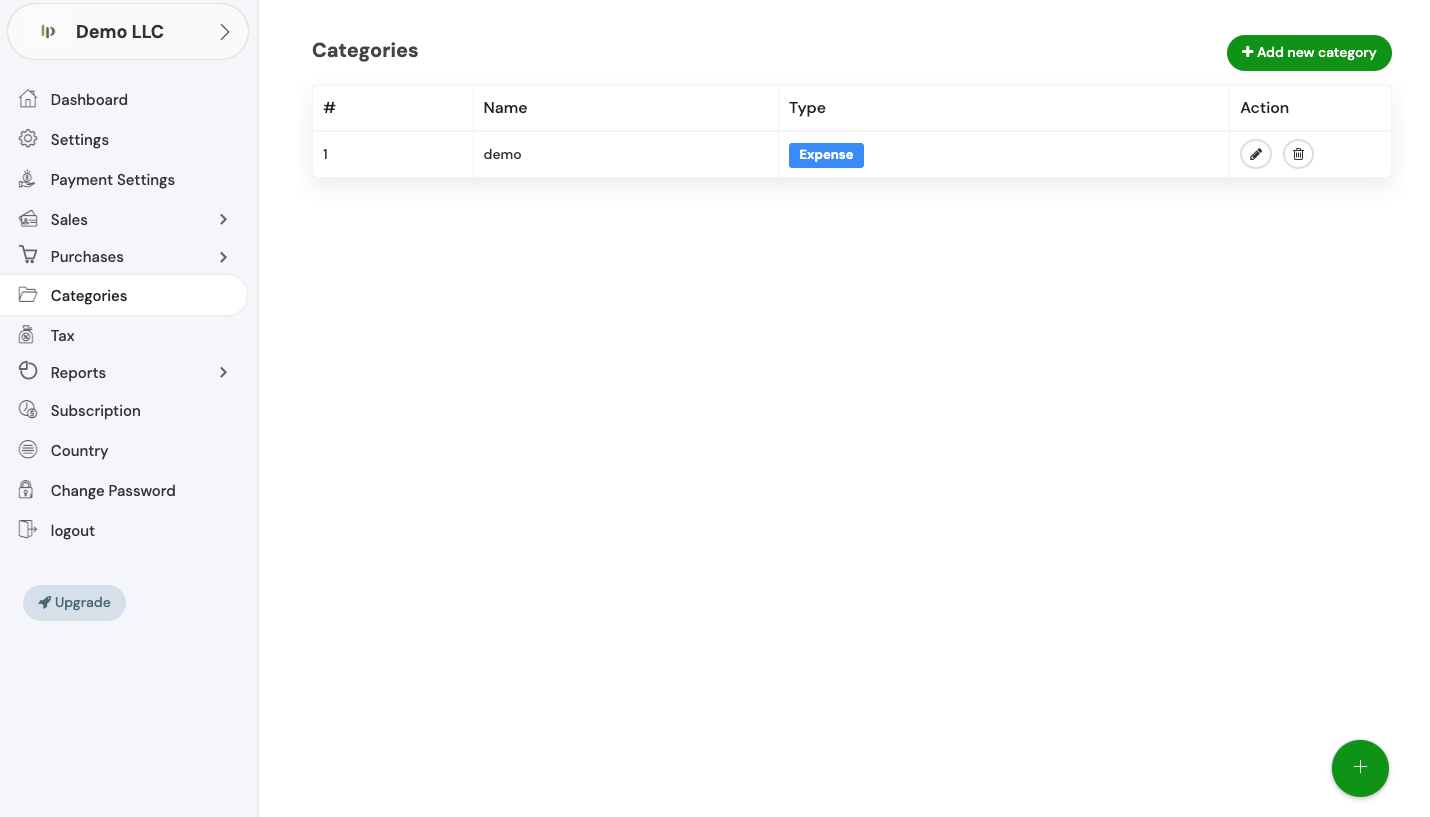
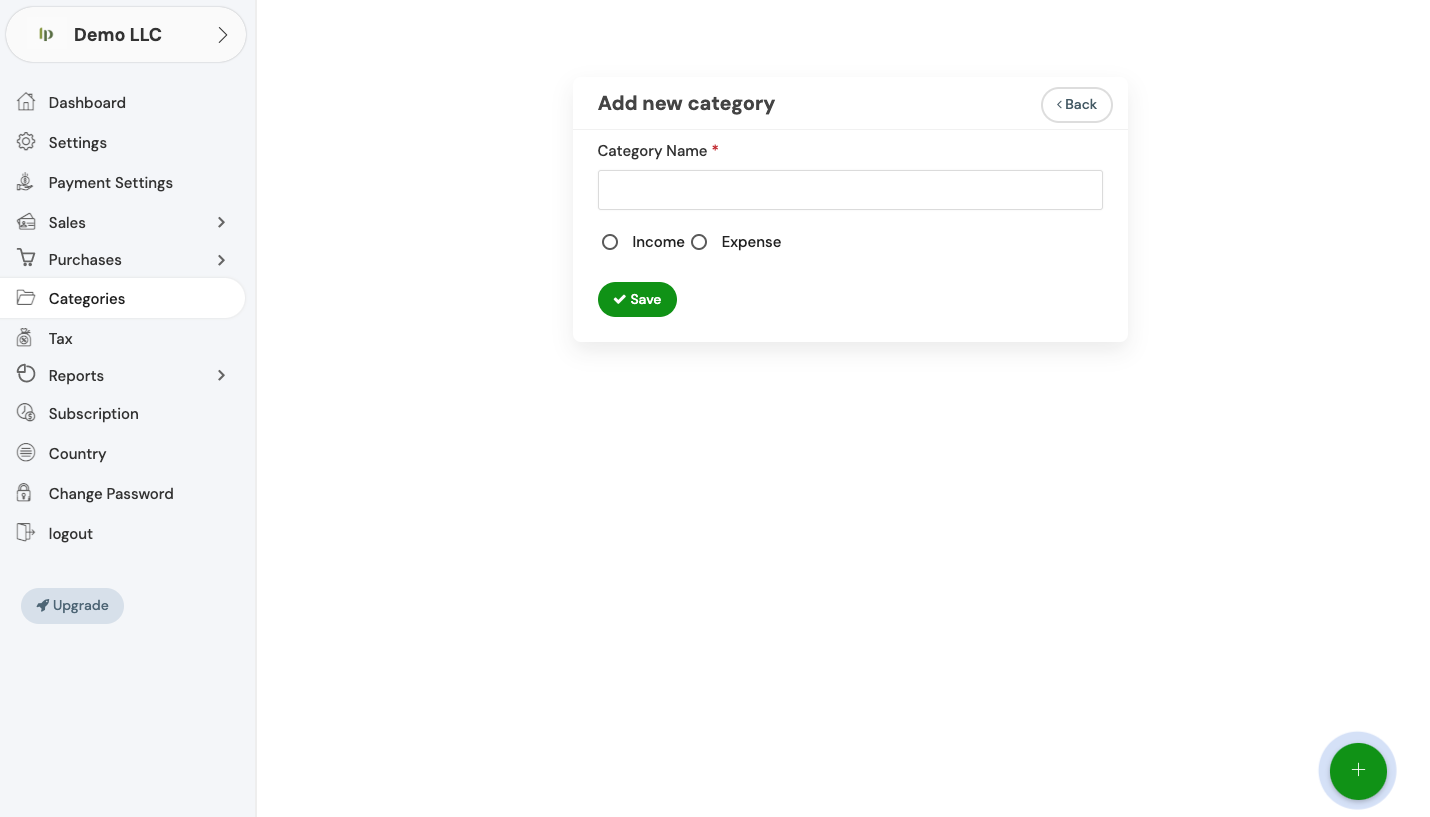
Streamline SMB finances with Invopoint. Create, track, and send B2B invoices for free. Manage expense categories and accept secure online payments in USA, UK &
image
Free SMB Financial Tools

Invopoint: Automate Your B2B Invoicing & Category Tracking

Empower your business with Invopoint’s free B2B invoicing. Effortlessly organize income and expense categories while accelerating your cash flow across global markets.

  • Smart Category Control
  • Instant Online Payments
  • Global Compliance (US/UK/EU)
  • Automated Billing Cycles
  • Secure Cloud Storage
  • Real-Time Revenue Tracking

30K+k+

Active SMBs

700K+k+

Invoices Processed

90+k+

Global Markets

Efficiency at Scale

Scale Your SMB with Professional Invoicing Categories

Take full control of your financial data. Invopoint allows you to categorize every transaction, ensuring you stay tax-ready and organized as you scale your business globally.

Banner image

Proven Reliability for SMBs

600K+

Expense Categories

400K+

Verified Users

1M++

Successful Transactions

140

Supported Regions

Complete Financial Oversight

Why SMBs Choose Invopoint

Dynamic Invoicing

Dynamic Invoicing

Customizable templates for B2B transactions with automated tax calculations per region.

Expense Categorization

Expense Categorization

Detailed classification of business costs to optimize your budget and maximize tax returns.

Financial Analytics

Financial Analytics

In-depth reports on category performance to help you make data-driven business decisions.

Team Collaboration

Team Collaboration

Grant secure access to your accounting team for seamless multi-user financial management.

Localized Workflows

Localized Workflows

Adaptive settings for USA, UK, and European VAT/GST requirements and currency support.

Invopoint FAQ: Smarter Invoicing

Expert Insights for Your Business

Navigate to the 'General Settings' section in your Invopoint dashboard, select 'Change Password,' enter your current password, followed by your new password, and confirm your new password before clicking 'Save.

Click on the 'Forgot Password' link on the login page, enter your registered email address, and follow the instructions sent to your email to reset your password.

Go to 'General Settings' in your Invopoint dashboard, edit the necessary fields such as business name, address, contact information, and save the changes.

Click on the 'Upload Logo' option within the 'General Settings' section, select your logo file, and click 'Save.'

Banner Image
24/7 Expert Support

Ready to Simplify Your Invoicing?

Need help setting up your business categories or connecting payments? Our specialists are here to assist.

Newsletter

Subscribe our newsletter

By clicking the button, you are agreeing with our Term & Conditions