No products in the cart.
Manage B2B Products & Services with Invopoint | Free SMB Inventory
Organize your B2B catalog with Invopoint. Add, price, and manage Products & Services for free. Streamline SMB billing across USA, UK, and Europe markets.

Organize your B2B catalog with Invopoint. Add, price, and manage Products & Services for free. Streamline SMB billing across USA, UK, and Europe markets.
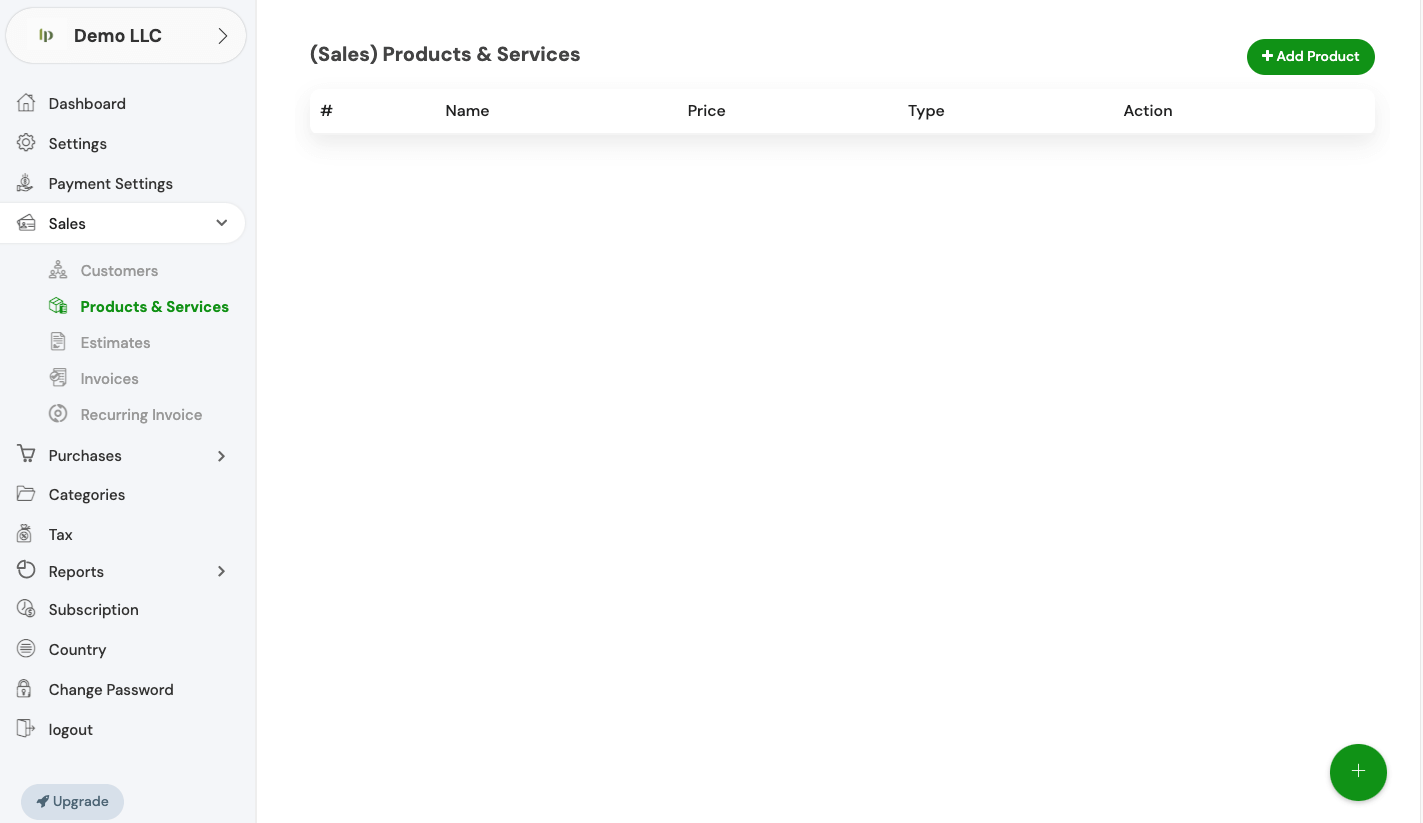
Take full control of your B2B offerings. The Invopoint Products & Services dashboard allows SMBs to manage pricing, categories, and service types for faster invoicing across global markets.
Catalog Items
SMB Users
Data Accuracy
Elevate your sales workflow by building a robust directory of Products & Services. Link your items directly to invoices and automate your financial reporting with Invopoint’s advanced SMB toolkit.
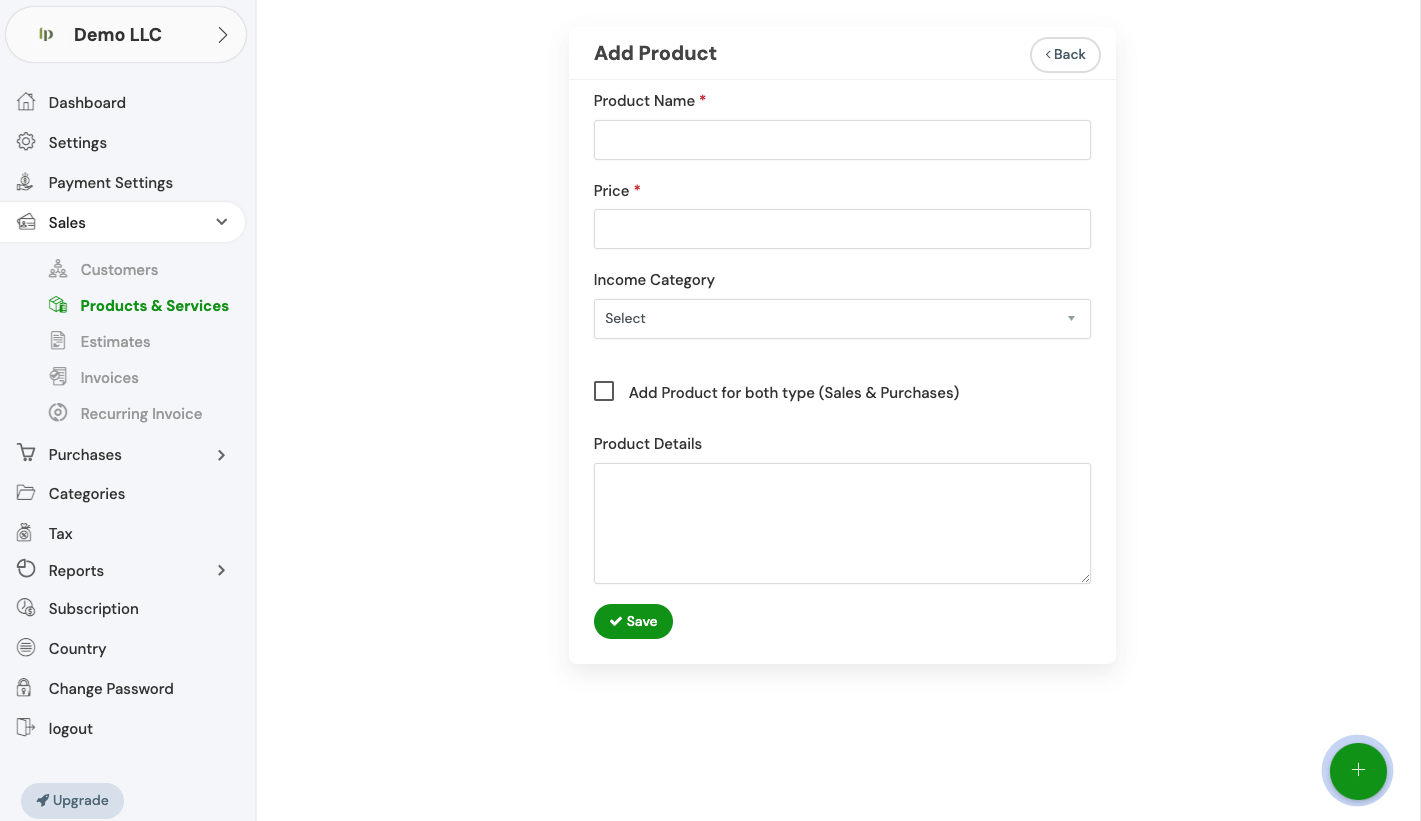

Items Managed
Active Catalogs
Global Sales
Partner Regions

Add new products or services in seconds using our intuitive interface designed for rapid B2B scaling.

Maintain consistent pricing across your entire B2B client base in the USA, UK, and European regions.

Track which products or services drive the most revenue with integrated performance analytics.

Keep your team synced with a central database for all your professional services and physical goods.

Tailor your product descriptions and service types to fit your specific niche and brand identity.
Common Questions
Navigate to the 'General Settings' section in your Invopoint dashboard, select 'Change Password,' enter your current password, followed by your new password, and confirm your new password before clicking 'Save.
Click on the 'Forgot Password' link on the login page, enter your registered email address, and follow the instructions sent to your email to reset your password.
Go to 'General Settings' in your Invopoint dashboard, edit the necessary fields such as business name, address, contact information, and save the changes.
Click on the 'Upload Logo' option within the 'General Settings' section, select your logo file, and click 'Save.'

Need help setting up your Products & Services list? Our team is here to guide your SMB through the setup process.